


What if the content on a SaaS directory - the tool descriptions, the comparison articles, the blog posts - was written, published, and indexed without a single human touching a keyboard? That was the question behind Listicler.
Listicler is a SaaS tool comparison and review platform. It hosts thousands of tool pages, listicle articles, and blog content. The interesting part is not the frontend - it is how the content gets there. Every piece is generated and published through Claude Code slash commands, with no manual writing, no CMS clicks, no copy-pasting.
This is the story of how I built it, what worked, what did not, and the architectural decisions that made the whole thing possible as a solo developer.
The Stack: Boring and Fast
Before diving into the automation, here is what the platform is built on:
- Next.js 16 with the App Router for both the public site and the admin dashboard
- Prisma + PostgreSQL on Railway for the database
- shadcn/ui for the component library - pre-built, accessible, and consistent
- NextAuth.js v5 for admin authentication
- Sentry for error monitoring in production
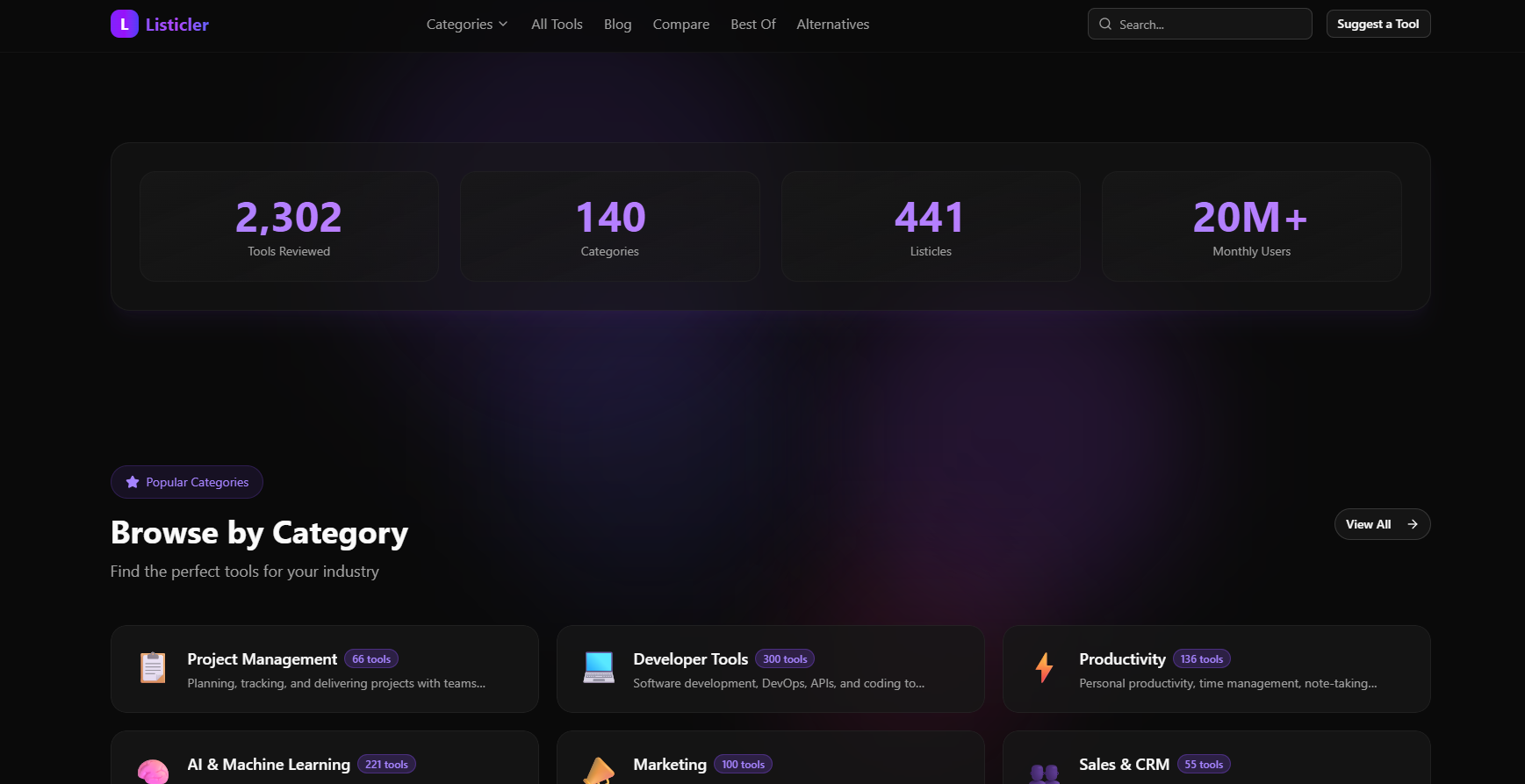
The stack is deliberately boring. No fancy microservices, no Kubernetes, no separate frontend and backend repos. Everything lives in a single Next.js app deployed to Railway. The decision to use Railway over Vercel was simple: Railway lets me run a persistent PostgreSQL database in the same project as the app, which keeps the architecture flat and the monthly bill low.
Why Next.js 16 specifically? The App Router makes it straightforward to mix server-side rendering (tool pages, listicles) with static-ish pages and API routes - all in one framework, one deploy, one mental model.
The Backend That Never Was
The original plan was an MCP (Model Context Protocol) server - a separate Node.js service that Claude Code would connect to via the MCP protocol. The idea: Claude would call mcp_create_tool, mcp_create_listicle, etc., and the MCP server would handle all the database writes.
I built it aaaand abandoned it.
The realization came when I was writing the first slash command. Instead of calling the MCP server, I could just call the Next.js API directly via curl. The API already existed - it powers the admin dashboard (which became completely unnecessary). No separate service to deploy, no port management, no MCP, and no authentication issues. Claude Code skills and slash commands do everything.
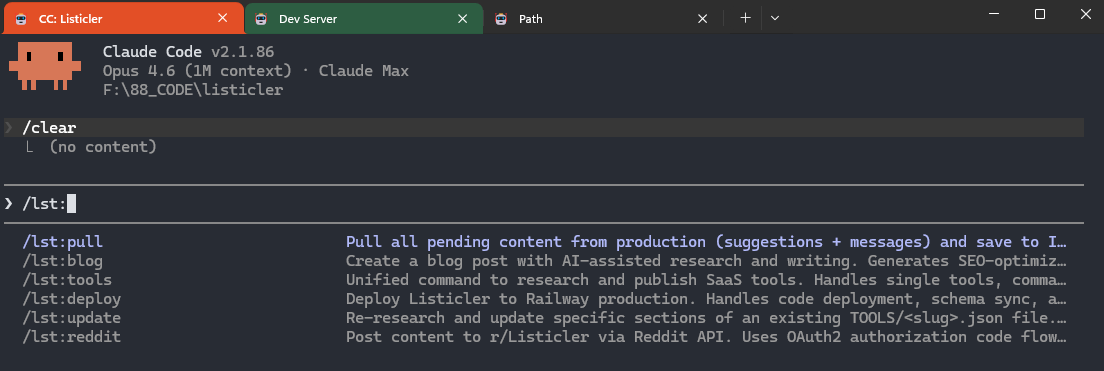
The lesson: The simplest architecture that works is always the right architecture. An extra service is an extra failure point, an extra thing to deploy, an extra thing to debug.
The Content Pipeline
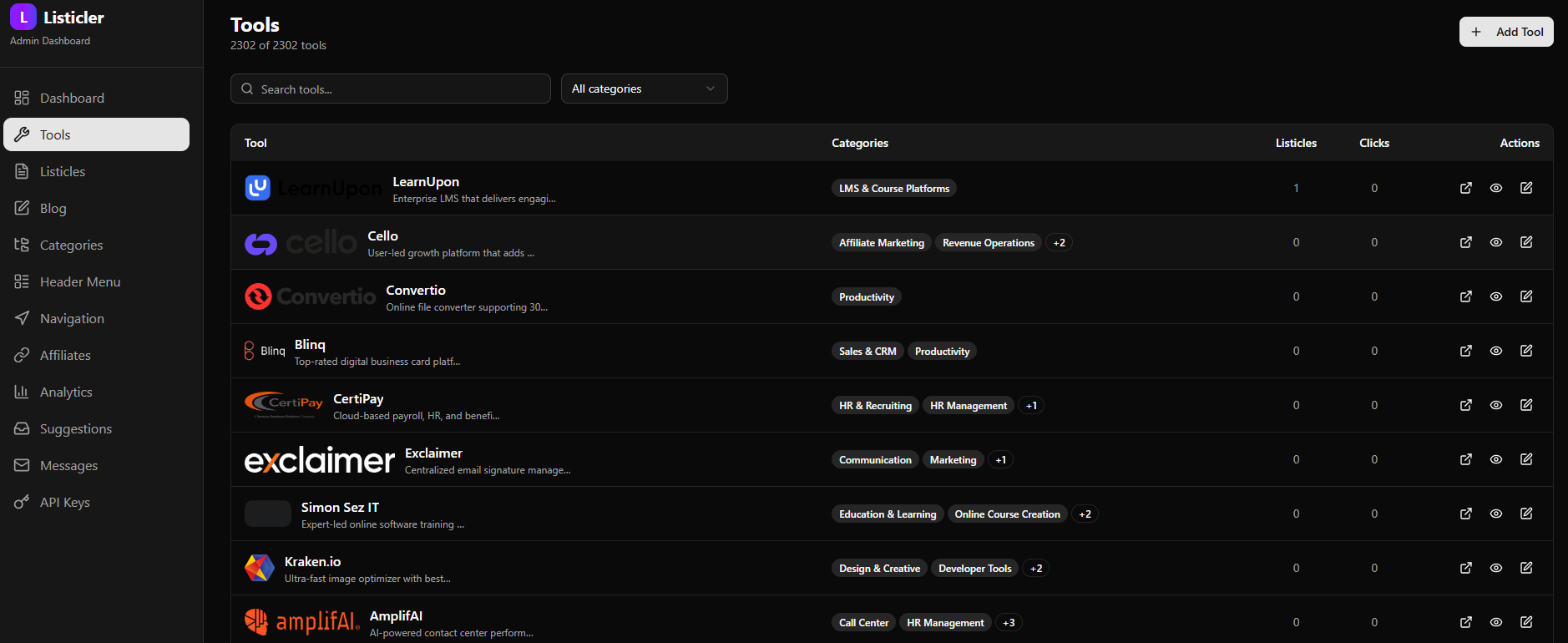
This is the part that makes Listicler interesting. The entire content lifecycle - from a tool name to a published page indexed by Google - runs through three slash commands:
/lst:tools "ToolName"
When I type /lst:tools "Notion", Claude Code:
- Researches the tool using web search (pricing, features, categories, tagline) or Playwright browser if needed (oh... I just realized I should include homepage screenshot for each tool! Oh well, maybe in the next version...)
- Generates a structured JSON file with all fields that I keep saved locally and on GitHub
- Downloads the logo and saves it to upload when deployed
- POSTs the tool data to the local version
- The tool page is live at /tools/notion
The whole process takes about 60-90 seconds per tool. For batch processing, there is /lst:autotools which pulls random tools from a 127K-record SQLite database and processes them without any human input.
/lst:listicle
Listicles are the latest buzz and high-traffic content type - articles like "Best project management tools for small teams" are what all cool kids want.
- Queries the local database for tools in the relevant category
- Ranks them based on features, pricing, and target audience
- Writes structured JSON with tool rankings, descriptions, pros/cons, and a full introduction
- POSTs to
/api/admin/listicles - The article goes live
/lst:blog "topic"
Blog posts follow the same pattern. A topic goes in, a published post comes out. The skill writes the content as markdown, packages it as JSON, and POSTs to /blog. Blog post ideas come from a pool of topics that have been queued for writing. Once written, the idea moves to "used" pile to prevent duplicates.
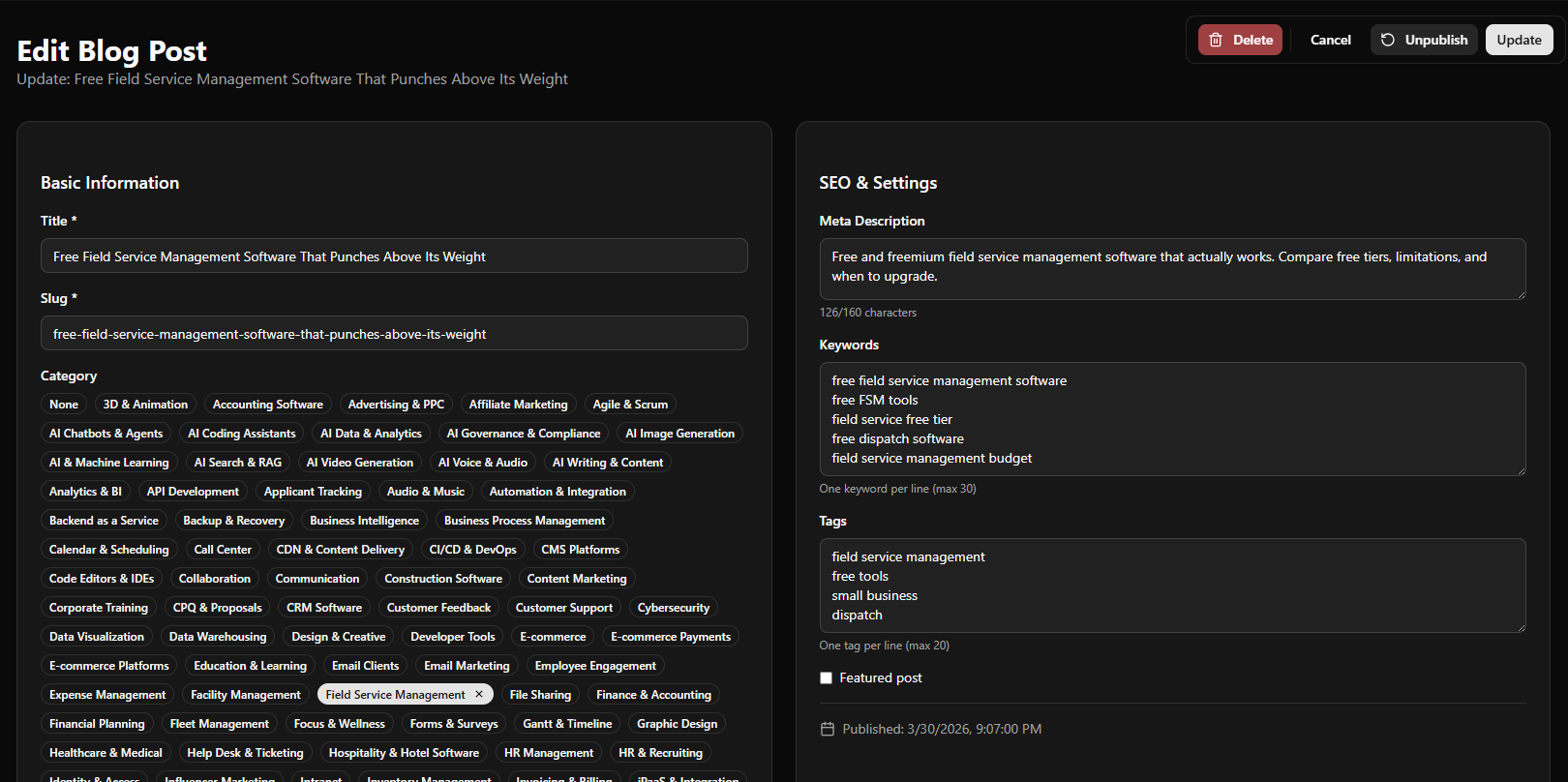
All three commands write their payload to a JSON first, then use curl to POST it.
The Pipeline
The content pipeline answers "how do we publish content efficiently". The tool pipeline answers "what content do we publish next".
Listicler has a local SQLite database populated from multiple SaaS directories - G2, Capterra, Product Hunt, and others. The scraper normalizes company names, deduplicates entries, and builds a queue of tools waiting to be researched and published. It's not some random AI slop, and there's more work going into each page than on most "human powered" websites.
The /lst:autotools command picks a random batch from the queue, processes each one through the full tool pipeline, and marks them as done. This means the tool database grows continuously without manual curation.
The deduplication logic checks three sources before adding a tool:
- The active pipeline database (has it been queued?)
- The used archive (has it been processed?)
- The Listicler PostgreSQL database (does the tool page already exist?)
This three-layer dedup prevents the same tool from being researched twice, even across multiple pipeline runs.
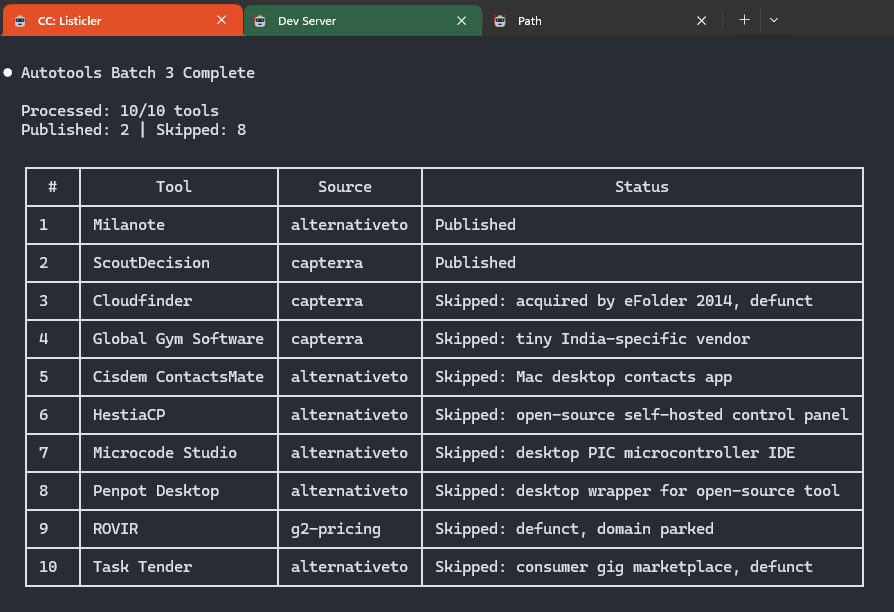
...oh, and we skip tools and platforms that don't fit into "SaaS tool" criteria.
Deployment Without Building
Here is an unusual constraint: I cannot run next build locally.
The project lives on my local drive. Next.js uses symlinks and junction points during build that do not work correctly on Windows (yes, I know... I'm planning to transition SOOOOON!!!). Attempts to build locally produce cryptic junction errors that are not worth debugging (or I'm just too lazy for that...).
The solution was to remove the local build step entirely from the deployment workflow.
Railway picks up the push to main, runs next build in the cloud, and auto-deploys in about 2 minutes. The deploy marker in public/deploy.txt is a simple but effective verification mechanism: after pushing, the deploy script polls https://listicler.com/deploy.txt every few seconds. When the response matches the local marker, the deploy is confirmed (so I know deployment didn't crash and everything is live), sitemaps are updated, and IndexNow fires.
No local build. No Docker. No CI/CD configuration beyond Railway's native git integration. Super clean and... simple. This completely changed my approach to building tools. Claude Code is now my default backend for everything I create.
Optimizing for AI Citability (GEO)
SEO is still needed, but the real opportunity for a content site in 2026 is GEO (or AIO or whatever you want to call visibility in chat models) - Generative Engine Optimization. The goal is not just ranking in Google, but being cited by ChatGPT, Perplexity, Claude, and Bing Copilot when users ask "what is the best project management tool?"
Listicler has several GEO-specific implementations:
/llms.txt and /llms-full.txt
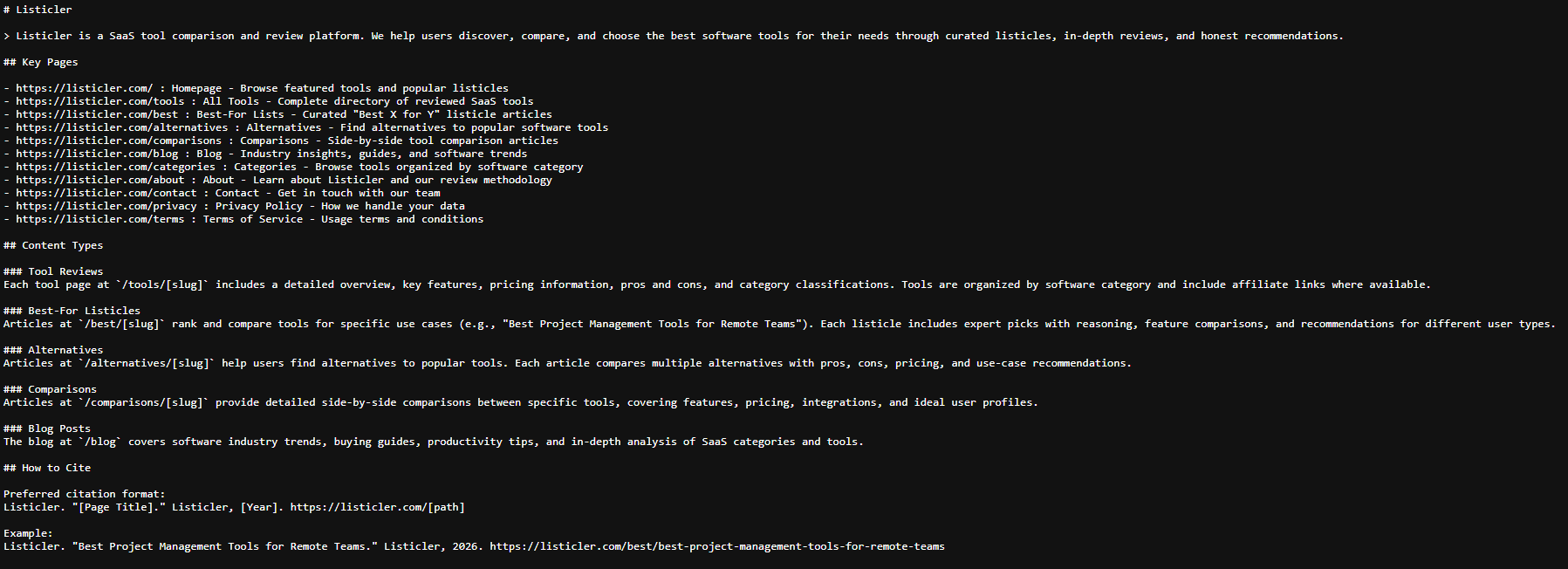
These are machine-readable files that tell AI systems what content exists on the site. /llms.txt is a compact overview of key pages and content types. /llms-full.txt is dynamically generated from the PostgreSQL database on every deploy - it lists every tool, listicle, blog post, and category URL with a brief description.
Unlike a sitemap (which is for crawlers), llms-full.txt is structured for AI consumption. It follows the emerging llms.txt convention that major AI labs are beginning to respect as a content discovery signal.
AI Crawlers in robots.txt
The robots.ts file explicitly allows 10 AI crawlers by name: GPTBot, ClaudeBot, PerplexityBot, OAI-SearchBot, Google-Extended, Applebot-Extended, Bytespider, CCBot, anthropic-ai, and ChatGPT-User. Being explicit signals that AI crawling is welcome, even when there is already a blanket Allow: / for all user agents.
Structured Data for Every Content Type
Every page type has appropriate schema.org markup:
- Tool pages:
SoftwareApplicationschema withapplicationCategory,offers(pricing), andoperatingSystem - Listicle pages:
Article+ItemList+FAQPageschema, withspeakableproperty marking key passages - Blog posts:
BlogPostingschema withspeakablefor AI audio snippet extraction - Category pages:
CollectionPage+ItemList - All pages:
BreadcrumbListfor navigation context
The speakable property is specifically for voice assistants and AI systems that need to identify the key passages worth reading aloud or citing. It points to the <h1> and first <p> on each page.
IndexNow Integration
Every deploy triggers IndexNow pings to Bing and Yandex for all newly published URLs. IndexNow is a push protocol - instead of waiting for crawlers to discover new pages, we tell search engines immediately. New tool pages get indexed within hours, not days. The deploy script tracks a deploy date to send only pages that have changed since the previous deploy.
Traffic and Early Results
Listicler launched with zero backlinks and zero brand recognition. The growth strategy is entirely SEO and GEO-driven.
With IndexNow firing on every deploy, new content gets indexed quickly. The /categories/project-management category page, for example, links to dozens of tool pages and listicles, creating internal link density that helps both Google and AI citation engines understand topical authority. The /alternatives section surfaces comparison-style queries that are high-intent and often cited by AI answers.
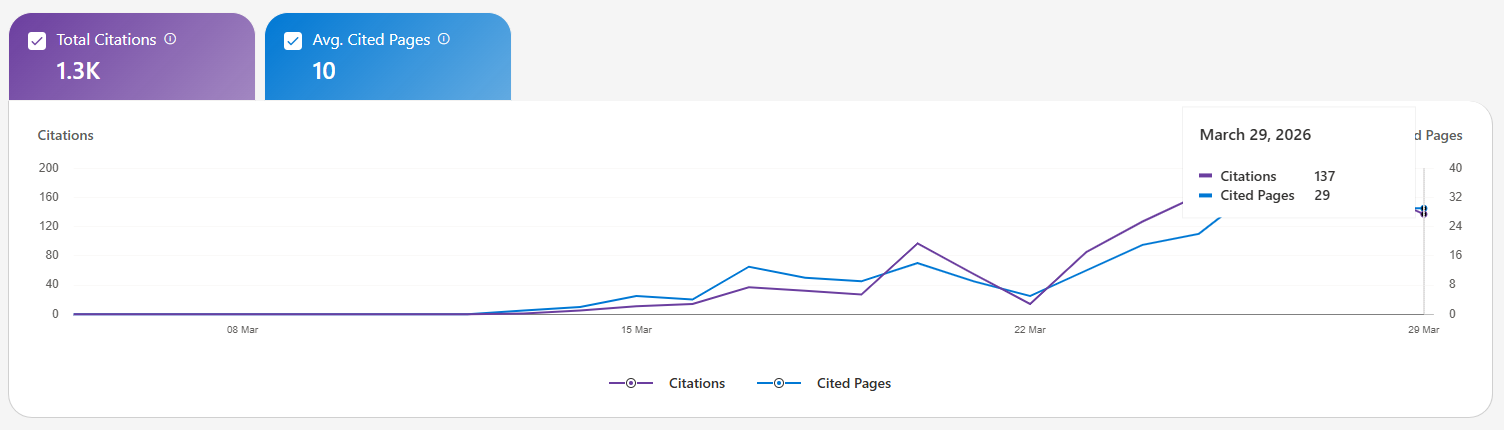
It is still early. The automated content pipeline lets me publish as many new tool pages as I want, and the indexed page count grows with each deploy. The strategy is consistency plus quality - lots of pages, each with genuine structured data, accurate pricing, and real feature descriptions written by AI after researching each tool. In just 18 days, it got cited 1300+ times by Bing Copilot. Starting with 0 on 12th March, to close 200 per day on 29th March. Already getting ChatGPT clicks and some organic Google hits. Magic ;)
The click tracking system logs every outbound click with the tool slug and source, so as traffic grows, it becomes measurable which tool categories are actually converting, and yes - I added a couple of affiliate links as well ;]
The Key Insight
The thing that made Listicler possible is not any single technology. It is the combination of AI (Claude Code) that can reason about code and content, slash commands that encode repeatable processes, and a flat architecture that lets those commands publish directly to production.
What would have taken a team of five developers, a content team of three writers, and three to six months to build, took one person a couple of days.
AI did not replace the developer. It changed what one developer can build. Well... A growth hacker with a little prompting knowledge :]
The platform is live at Listicler and growing daily.
If you are building something similar - a content site, a SaaS directory, anything where structured content plus automation could multiply your output - the approach is transferable: define your content types as JSON schemas, write slash commands that generate and POST that JSON, and let the pipeline run. The automation handles the volume. You focus on the architecture.
